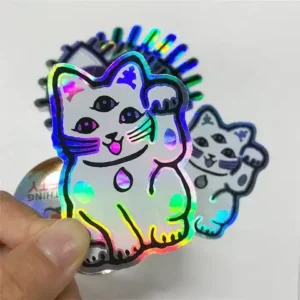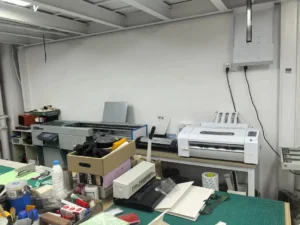
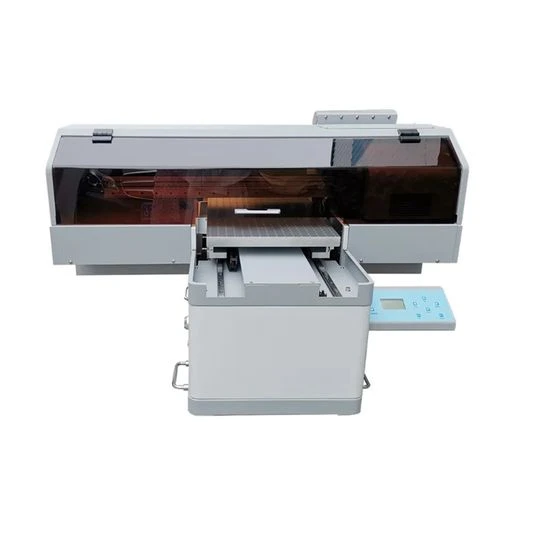
Custom laptop skins have become one of the fastest-growing segments in the device personalization market. As more consumers look to customize their laptops with unique designs, businesses that offer custom laptop skins UV DTF transfer products are capturing a steadily growing share of this demand. Whether you operate a print-on-demand store, run an e-commerce brand, or supply corporate gift programs, understanding how custom laptop skins UV DTF transfer technology works — and how to source them efficiently — is essential to staying competitive.
In this guide, we explain what custom laptop skins UV DTF transfer technology involves, why it outperforms other decoration methods, and how you can source top-quality laptop decals directly from a factory partner. We also cover surface compatibility, application steps, and the wholesale ordering process.
What Are Custom Laptop Skins Using UV DTF Transfer?
UV DTF (Direct to Film) is a digital printing method that uses UV-curable inks applied to a specialized transfer film. Unlike traditional screen printing or adhesive vinyl, UV DTF transfer produces full-color, high-resolution prints with exceptional detail and smooth color gradients — making it ideal for intricate designs on laptop surfaces.
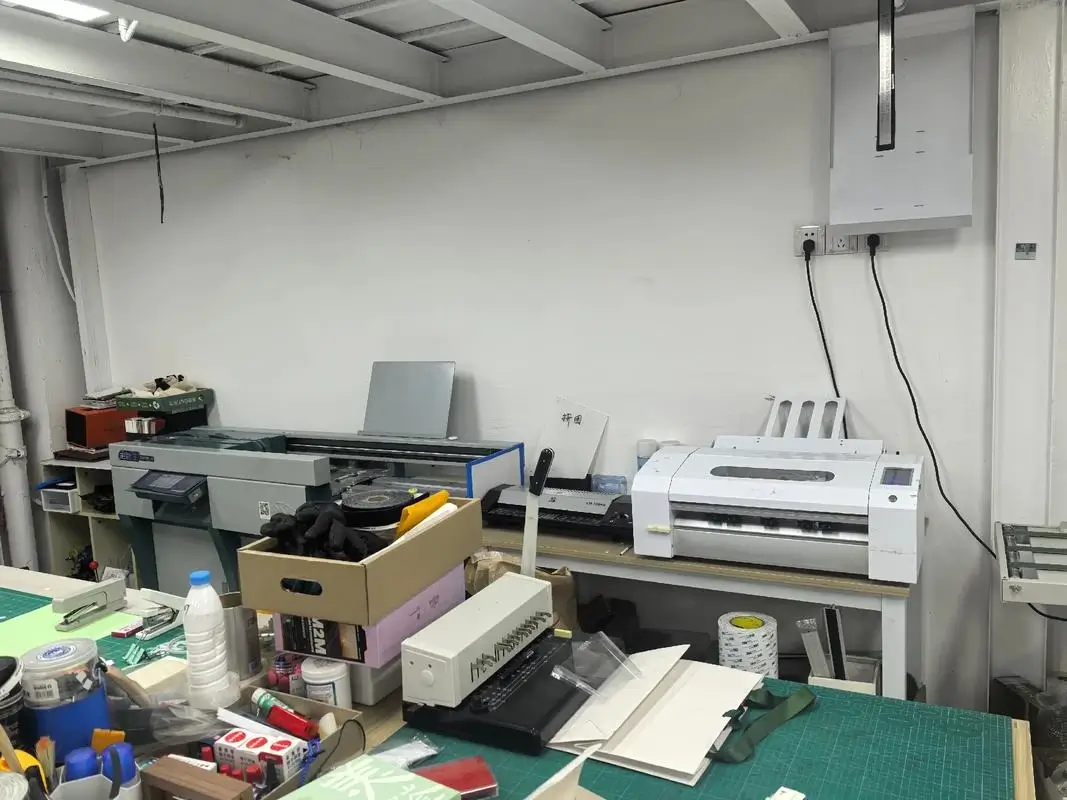
When we refer to custom laptop skins UV DTF transfer at our factory, we mean a multi-layer product that includes the printed design, a UV-cured ink layer for durability, a strong permanent adhesive backing, and a protective top coat. The result is a thin, flexible decal that conforms to the contours of a laptop lid, palm rest, or trackpad area without bubbling, lifting, or peeling over time.
At UV DTF Decor, our custom laptop skins UV DTF transfer production process begins with your artwork. We print your designs onto premium transfer film using industrial UV flatbed printers, cure the ink under high-intensity UV light, and apply an optically clear protective overlay. Each sheet of custom laptop skins UV DTF transfer is precision-cut to your specified dimensions and packaged for secure shipment.
Why Choose UV DTF Transfer for Laptop Decals
Not all decoration methods are suitable for laptop surfaces. Laptops endure daily handling, temperature changes, friction from bags, and contact with skin oils and moisture. Here is why custom laptop skins UV DTF transfer stands above alternatives like adhesive vinyl, screen printing, or hydro dipping:
Exceptional durability. UV-cured inks form a hard, scratch-resistant surface. A properly applied custom laptop skin using UV DTF transfer maintains its appearance for years without fading, chipping, or yellowing — even on frequently touched areas like palm rests and trackpad surrounds.
Water and UV resistance. Laptop skins encounter everything from rain splashes to direct sunlight near windows. Custom laptop skins UV DTF transfer products are fully waterproof and UV-stable, meaning the colors stay vibrant and the adhesive bond remains strong through seasonal temperature changes.
No heat required for application. Unlike heat transfer vinyl (HTV), custom laptop skins UV DTF transfer applies with simple hand pressure at room temperature. This eliminates the risk of heat damage to sensitive electronic components and makes the application process accessible to end customers without specialized equipment.
Minimal thickness. UV DTF decals add approximately 0.1 mm to the laptop surface. Your customers get a fully customized look without adding bulk or interfering with the laptop hinge or closing mechanism.
Surface Compatibility: Which Laptop Materials Work Best
One of the most common questions from B2B buyers is whether custom laptop skins UV DTF transfer will adhere to different laptop materials. Our transfers are engineered to bond strongly with the following surfaces:
- Metal (aluminum, magnesium alloy): Most modern laptops, including MacBooks and ultrabooks, use aluminum or magnesium alloy casings. Custom laptop skins UV DTF transfer adheres securely to these anodized or painted metal surfaces with no special preparation beyond a standard alcohol wipe.
- Plastic and polycarbonate: Common on budget and mid-range laptops. Our adhesive formulation bonds well to both matte and textured plastic surfaces, including the soft-touch coatings found on many business-class machines.
- Glass: Some premium laptops feature glass display lids. Custom laptop skins UV DTF transfer can be applied to clean glass surfaces with excellent optical clarity and holding strength.
- Carbon fiber: Found on high-end business laptops and gaming machines. Our transfers adhere to carbon fiber composite surfaces with reliable long-term holding strength.
We recommend testing adhesion on a small inconspicuous area before full application. Our factory team is available to help you select the right transfer configuration for your specific laptop models and order requirements.
Application Guide: How to Apply Custom Laptop Skins UV DTF Transfer
The application process for custom laptop skins UV DTF transfer is designed to be straightforward enough for end customers to perform without professional tools. Here is the step-by-step procedure we include with every bulk order:
- Clean the surface. Wipe the laptop area with a 70% isopropyl alcohol solution to remove oils, dust, and residue. Let it air dry completely for 30 seconds.
- Position the transfer. Remove the backing paper and hold the custom laptop skin UV DTF transfer above the laptop surface. Do not press down yet — maneuver it into exact position, then gently lower it onto the surface.
- Squeegee from center outward. Using a rubber squeegee or a firm plastic card, press the transfer firmly starting from the center and pushing toward the edges. This forces any trapped air bubbles outward.
- Peel the carrier film. Slowly peel away the top transfer film at a 45-degree angle. If the decal lifts with the film, press it back down and peel more slowly.
- Final burnish. Run your thumb or squeegee over the entire decal one more time to ensure full adhesive contact, especially along edges and corners.
Each bulk shipment of custom laptop skins UV DTF transfer includes printed application instructions in multiple languages along with a practice transfer sheet. We also provide video application guides for your customers upon request.
Bulk Ordering Custom Laptop Skins from Our Factory
As a factory-direct supplier, UV DTF Decor offers competitive wholesale pricing on custom laptop skins UV DTF transfer without compromising on print quality or material standards. Our production facility operates multiple industrial-grade UV printers capable of handling large-volume orders with consistent color output from run to run.
When you place a bulk order for custom laptop skins UV DTF transfer with us, you receive:
- Custom artwork support. Send your designs in AI, PDF, PSD, or PNG format. Our prepress team checks for color fidelity, resolution, and print readiness at no additional cost.
- Precise color matching. We use calibrated RIP software and spectrophotometer verification to ensure your brand colors are reproduced accurately across every batch of custom laptop skins UV DTF transfer.
- Multi-stage quality control. Each sheet is inspected for print defects, adhesive coverage, registration accuracy, and cut precision before packaging.
- Reliable lead times. Standard production time for custom laptop skins UV DTF transfer is 3–5 business days for bulk orders, with express production available for urgent projects.
- Worldwide shipping. We ship via DHL, FedEx, UPS, and sea freight depending on your order volume and destination.
Why B2B Buyers Choose UV DTF Decor
Our clients — including e-commerce sellers, POD platform operators, sign shops, and corporate procurement teams — select us for custom laptop skins UV DTF transfer because we combine factory-direct economics with rigorous quality standards. We handle every step from artwork preparation through final packaging, so you can focus on marketing and selling your product line.
Whether you need 50 sheets for a test launch or 5,000 sheets for a national retail program, our production team has the capacity and experience to deliver consistent results. We also offer tiered pricing structures that reward volume growth.
Frequently Asked Questions
What is the minimum order quantity for custom laptop skins UV DTF transfer?
Our standard MOQ for custom laptop skins UV DTF transfer is 50 sheets per design. For repeat orders, we offer tiered pricing with discounts at 200, 500, and 1,000+ sheet volumes. We also offer sample sheet orders for design validation before committing to full production.
How long do custom laptop skins using UV DTF transfer last under normal use?
Under typical indoor use conditions, custom laptop skins produced with our UV DTF transfer process maintain their appearance for 2–3 years without noticeable fading, peeling, or yellowing. The UV-cured ink layer provides strong resistance to scratches, UV exposure, and frequent surface contact from typing and handling.
Can custom laptop skins UV DTF transfer be removed without damaging the laptop?
Yes. While custom laptop skins UV DTF transfer is designed for permanent single-use application, the decal can be removed cleanly by applying gentle heat from a hair dryer and peeling slowly at a low angle. Any minimal adhesive residue can be wiped away with isopropyl alcohol. We do not recommend reapplication, as adhesive strength diminishes after the initial bond is broken.
What file formats and specifications do you accept for custom laptop skin designs?
We accept AI, PDF, PSD, PNG (with transparent background), and EPS files for custom laptop skins UV DTF transfer production. Preferred resolution is 300 DPI at actual print size. CMYK color mode is preferred, but we can work with RGB files. Our design team can also help refine your artwork — just include a note with your bulk order.
Do you offer sample sheets before placing a full bulk order?
Yes. We provide sample sheets of custom laptop skins UV DTF transfer so you can evaluate print quality, color accuracy, adhesive performance, and application ease before committing to a full production run. Sample lead time is 2–3 business days with express shipping available.
Conclusion
Custom laptop skins produced with UV DTF transfer technology offer a combination of durability, visual quality, and application simplicity that traditional methods struggle to match. For B2B buyers, working with a factory-direct supplier ensures competitive pricing, consistent production output, and reliable lead times — all essential for building a profitable laptop customization product line.
Ready to take your product line to the next level? Contact UV DTF Decor today to discuss your custom transfer requirements and request a free quote.